How to permanently fix stuttering video on your TV with a simple setting
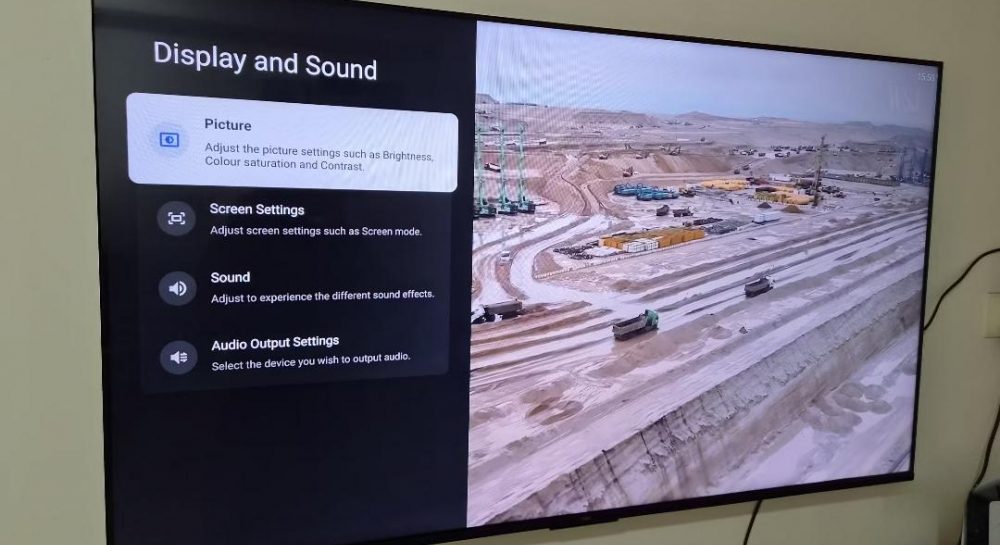
Tech experts reveal a quick TV setting adjustment that eliminates annoying video stuttering during movie playback without needing hardware upgrades or better internet.
 💼Economy
Photo: UNIAN
Key points
- Stuttering is caused by the mismatch between 24 fps movies and 60/120 Hz screens
- The issue is fixed by enabling the Match content frame rate option
- Filmmaker mode helps remove the artificial soap opera motion smoothing effect
Modern home entertainment technologies often come with subtle configuration issues that prevent users from fully enjoying their favorite movies and TV shows. Smart TV owners frequently blame weak network signals or streaming platform glitches for micro-stuttering, fruitlessly attempting to troubleshoot their internet connection.
The main cause and technical details
According to industry reviewers, the real root of the issue lies in a simple mismatch between video content capture standards and display refresh rates. Most movies are shot at a standard 24 frames per second, whereas modern television displays operate at 60 Hz or 120 Hz. To adapt these formats, displays rely on conversion methods that inevitably produce an uneven rhythm during camera panning and horizontal motion.
Resolving this issue takes very little time and requires no specialized engineering skills. Users simply need to navigate to their device settings menu and enable the content frame rate matching feature. Once activated, the television stops artificially stretching video frames and automatically adjusts its refresh rate to match the source material.
Additional tips for better picture quality
Aside from modifying refresh rates, specialists recommend paying attention to specific display image modes. In particular, enabling the Filmmaker mode helps disable aggressive motion smoothing algorithms, often referred to as the 'soap opera effect', ensuring movies retain their intended cinematic look.
«Matching the content frame rate eliminates micro-stutters and ensures smooth playback for your favorite films», — note tech reviewers.
Such straightforward configuration adjustments help significantly improve the user experience without requiring costly hardware replacements or professional technical assistance.
Source UNIAN — unian.ua/techno/gadgets/chomu-smikayetsya-zobrazhennya-na-televizor… ↗
Read next
 👥Society
Kharkiv Police Serve Notice of Suspicion to Repeat Domestic Abuser Ignoring Restraining Orders
Law enforcement officers in Kharkiv have served a notice of suspicion to a 65-year-old local resident who systematically harassed his wife despite police warnings.
 🎓Education
US and Europe Prepare New Aid Package for Ukraine Despite Trump's Stance
American lawmakers and European allies plan to pass a multi-billion-dollar support package for Ukraine, bypassing Donald Trump's calls to shift focus.
 👥Society
Ukrainian citizen found dead and two others rescued in Romanian mountains
Romanian mountain rescuers and border guards located three Ukrainian citizens stranded in the Maramureș mountains, resulting in one fatality and two survivors.
 🚨Events
Culinary tips: how to properly prepare vegetable base for soups and borscht
Explore the basic culinary guidelines for cooking the perfect vegetable base for first courses.
 🎭Culture & Sport
Dramatic Overtime and Champion Victories: How the Basketball Superleague Matches Concluded
Sunday's regular season matches in the basketball Superleague delivered intense battles, remarkable comebacks, and hard-fought victories for top contenders.
 🛡️Security
Russian forces attack Naftogaz facilities in Dnipropetrovsk and Zaporizhzhia regions
Energy workers were injured following airstrikes on gas infrastructure and filling stations. Naftogaz leadership describes these attacks as systematic targeting of energy…